Quick Picks
- 🥇 Best Overall: 1Password — $2.40/mo with our 40% coupon
- 🆓 Best Free: Bitwarden — fully usable free tier
- 👨👩👧 Best for Families: 1Password Families — $3.60/mo for 5 people
- 🏢 Best for Business: 1Password Business — $7.99/user/mo + free Families per seat
- 💸 Best Budget Paid: NordPass — $1.69/mo on 2-year plan
- 🛡️ Best With VPN: Dashlane — Premium ~$4.99/mo bundles VPN
- 🔓 Best Open Source: Bitwarden — source code on GitHub
Picking the right password manager is one of the highest-leverage decisions you'll make in your digital life — it sits in front of every account you own and ideally for the next decade. The OnePass Deals team tested 12 password managers through 2025 and into 2026, scoring each on security architecture, user experience, pricing, support quality, and breach history. Seven cleared our bar; 1Password took the overall #1 spot for the third year running, with Bitwarden as the runaway free-tier winner. Below: our complete methodology, full reviews of each pick, and the password managers we explicitly do not recommend in 2026.
Heads up — some links on this page are affiliate links. If you start a subscription through them, OnePass Deals earns a small commission at no extra cost to you. We only recommend tools we'd happily pay for ourselves.
How We Tested
For each of the 12 password managers we evaluated, we ran the same six-week protocol:
- Security architecture review. We read the security white paper, verified encryption standards (looking for AES-256, zero-knowledge architecture, strong key derivation), checked for SOC 2 Type II certification, and reviewed third-party audit history.
- Breach history check. Public disclosure history over the lifetime of the product, severity of any incidents, transparency of disclosure, and response quality.
- Hands-on UX testing. Installed on macOS, iOS, Windows, and Android. Tested autofill across 30 common sites (banks, streaming services, social media, SaaS apps). Measured time-to-unlock and reliability of biometric unlock.
- Family / team setup. Where applicable, set up a shared vault with 4 test accounts and measured invitation friction, account recovery flow, and granular permission control.
- Price-per-feature scoring. Normalized prices across plans, factored in promotional discounts available to new customers, and calculated effective cost per user per year.
- Support response time. Submitted three identical questions (one easy, one technical, one billing) and measured response time and answer quality.
Scores were aggregated into a 100-point ranking. The full scorecard is available on request — email hello@onepasscoupon.pro. Everything below reflects findings as of June 2026.
1. 1Password — Best Overall
Score: 96/100 · Price: $2.40/mo (Individual, with our 40% coupon) · 14-day free trial, no credit card
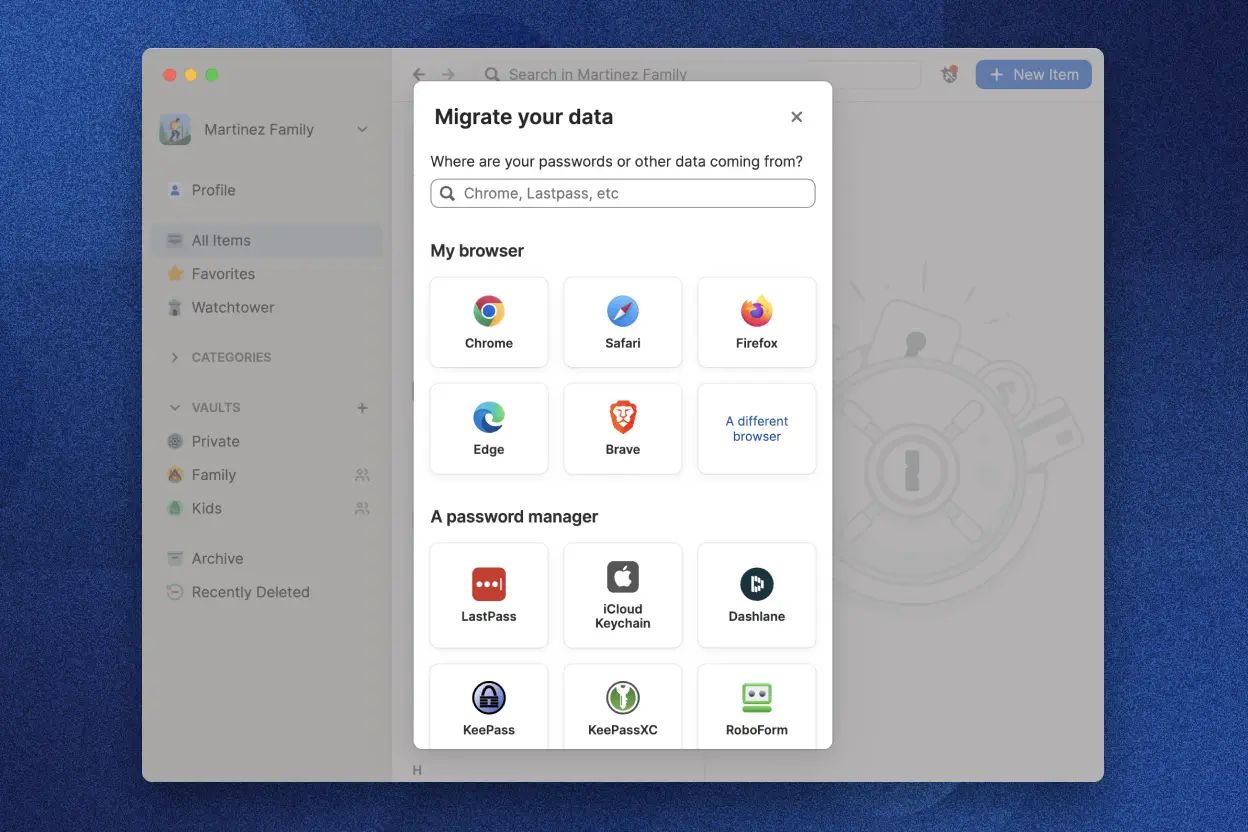
1Password takes the top spot for the third consecutive year. Built since 2005 by AgileBits in Toronto, it's used by more than 100,000 businesses and millions of individuals globally. The combination that earns it #1: a unique Secret Key + master password architecture that adds a second secret to the encryption derivation (meaning even a server breach can't decrypt your vault without your locally-stored Secret Key), a 20-year track record with zero publicly disclosed breaches, the most polished apps and browser extensions in the category, the best family-management experience for non-technical users, and a deep set of developer tools (SSH agent, Git commit signing, the op CLI) that no competitor matches.
Standout features include Watchtower (cross-references your saved logins against Have I Been Pwned and flags weak/reused/breached passwords), Travel Mode (temporarily removes sensitive vaults from devices for border crossings — unique to 1Password), best-in-class passkey support across Chrome, Safari, Edge, Firefox, and Brave, and Secure Sharing with anyone via expiring links. The Families plan covers up to 5 people for $3.60/mo with our coupon (works out to $0.72/person/mo at full capacity). Business adds SSO, SCIM, SIEM streaming, and — uniquely — a free Families plan for every employee, a $71.88/year per-seat benefit no competitor offers.
The only legitimate criticisms: no permanent free tier (only a 14-day no-card trial), list prices are $10-30/year higher than Bitwarden, and there's no bundled VPN like Dashlane offers. Our 40% new-customer coupon closes most of the price gap, and the 14-day no-card trial removes any risk of trying it.
2. Bitwarden — Best Free & Open-Source
Score: 91/100 · Price: Free, or $10/yr Premium
Bitwarden is the runaway winner in the free-tier category and the strongest case against paying for a premium password manager. It's open-source (full code on GitHub), supports self-hosting for users who want full data control, uses AES-256 with PBKDF2 or Argon2 key derivation, and has maintained a clean public breach record. The free tier is genuinely usable forever — unlimited passwords, unlimited devices, secure sharing, and basic 2FA. Premium at $10/year adds breach reports, encrypted file attachments, advanced 2FA (YubiKey, Duo), and TOTP storage.
Where Bitwarden trails 1Password: the apps and browser extensions are functional but visibly more utilitarian — fine for technical users, sometimes friction-y for non-technical family members. No Travel Mode equivalent. The developer tooling exists (bw CLI) but is less polished than 1Password's op. Family plan is $40/year for 6 people — basically tied with 1Password Families on price.
Pick Bitwarden if: you need a free tier, you want open-source code, you prefer a leaner UI, or you're a solo technical user who finds $10/year hard to argue with.
3. Dashlane — Best With Built-in VPN
Score: 84/100 · Price: ~$4.99/mo Premium (includes Hotspot Shield VPN)
Dashlane is the password manager you pick if you want to consolidate a VPN subscription into the same monthly bill. Premium plans bundle Hotspot Shield VPN with unlimited devices, dark-web monitoring, and a polished autofill engine. The apps are well-designed (the brand has historically invested heavily in UX), and the migration tools make switching from another manager painless.
Where Dashlane trails 1Password: less consistent cross-platform parity (Linux support is browser-only), pricier than 1Password with our coupon, no Travel Mode equivalent, and weaker family-management features. The VPN itself is decent but not best-in-class — if you're a VPN power user, a dedicated provider will serve you better.
Pick Dashlane if: you want a single subscription that bundles password management and a casual-use VPN.
4. NordPass — Best Budget Premium
Score: 82/100 · Price: ~$1.69/mo (2-year plan, new-customer rate)
From the Nord Security family (NordVPN, NordLayer), NordPass is the cheapest credible premium password manager on the market. Promotional 2-year plans drop the effective monthly price to about $1.69 — cheaper than even Bitwarden Premium when amortized. The UI is genuinely good and improving rapidly. Uses XChaCha20 encryption instead of the more common AES-256 (both are considered secure for this use case).
Where NordPass trails 1Password: shorter operating history (launched 2019), business and developer tooling lag behind, no Travel Mode, no SSH agent, family plan is decent but less polished than 1Password's. The post-promotional price ($4.99/mo at standard rates) is competitive with 1Password without our coupon, so the savings depend on locking in long-term promotional pricing.
Pick NordPass if: you want a polished UI at the lowest possible price and are happy locking in a 2-year commitment.
5. Proton Pass — Best for Privacy Fans
Score: 80/100 · Price: Free or ~$1.99/mo Premium
From the Swiss-based Proton team (Proton Mail, Proton VPN, Proton Drive), Proton Pass extends Proton's privacy-first reputation into password management. It's open-source, includes built-in email aliasing (hide your real address from sites that don't deserve it), and benefits from Proton's strong privacy-jurisdiction story (Switzerland-based, outside the 14 Eyes). The free tier is generous, and Premium is bundled with Proton's broader plan ecosystem.
Where Proton Pass trails 1Password: younger product (launched 2023), business tooling is nascent, less mature passkey support, family plan only at higher Proton tiers. Apps are good but Proton's design language is more utilitarian than 1Password's.
Pick Proton Pass if: you're already a Proton ecosystem user, you prioritize the privacy story, or email aliasing matters to you.
6. Keeper — Best for Enterprise Security Compliance
Score: 79/100 · Price: Enterprise quote-only; ~$2.92/mo Personal
Keeper has the longest enterprise-compliance certification list in the category — SOC 2 Type II, ISO 27001, FedRAMP Authorized, HIPAA, and more. For organizations in heavily regulated industries (federal government, defense contractors, healthcare with stringent procurement), Keeper often clears compliance review faster than 1Password or Bitwarden. The personal product is competent but less design-led than top competitors.
Where Keeper trails 1Password: the personal experience is utilitarian, pricing is higher than alternatives, family-plan UX is dated, no equivalent of the 1Password free-Families-per-seat business perk.
Pick Keeper if: you're procurement at a regulated organization where FedRAMP or comparable certifications are non-negotiable.
7. RoboForm — Best for Form-Filling Power Users
Score: 75/100 · Price: ~$1.99/mo Personal
RoboForm has been around since 1999 and remains the gold standard for one specific thing: form filling. If you regularly fill out long forms (job applications, government paperwork, e-commerce checkouts with shipping/billing details, complex registration flows), RoboForm's identity profiles and form-handling heuristics still outclass everyone else. The general password manager features are competent but the UI feels dated compared with 1Password, NordPass, or Proton Pass.
Where RoboForm trails 1Password: apps and browser extensions feel aged, business and developer tooling is limited, family-plan setup is less polished.
Pick RoboForm if: form filling is a primary use case and you want the category specialist.
Password Managers We Don't Recommend in 2026
LastPass (2022 breach history)
LastPass was once the default recommendation in this space. In August 2022, attackers exfiltrated encrypted customer vault backups; subsequent disclosures revealed the breach was significantly more serious than initially communicated. Security researchers are still tracking cryptocurrency thefts traced back to those leaked vaults years later. The architecture and disclosure history are not competitive with current alternatives.
If you're currently on LastPass, our recommendation is to migrate to 1Password or Bitwarden immediately, rotate any passwords stored at the time of the 2022 incident (especially banking, email, and cryptocurrency credentials), and enable hardware-key 2FA on your most critical accounts.
Browser-built-in password managers (Chrome, Safari, Edge)
Chrome, Safari, and Edge all offer built-in password saving. These work well enough as a default and are dramatically better than reusing passwords or storing them in spreadsheets — but they're not real password managers. They're tightly coupled to a single browser ecosystem, family-sharing is rudimentary or absent, breach monitoring is shallow, secure sharing with non-users is impossible, and migrating between browsers is painful. Use them only as a temporary stopgap before you set up a real password manager — and that real password manager should be on this list.
How to Choose the Right Password Manager for You
Use this short decision tree:
- Need a free tier? → Bitwarden Free. Stop reading; that's your answer.
- Want the best overall experience? → 1Password. Use our 40% coupon to drop to $2.40/mo.
- Family of 2-5? → 1Password Families ($3.60/mo with coupon) or Bitwarden Families ($40/yr).
- Business with 10+ employees? → 1Password Business ($7.99/user/mo + free Families per seat).
- Solo technical user, ultra-cost-conscious? → Bitwarden Premium ($10/yr) or NordPass 2-yr plan ($1.69/mo).
- Want a VPN bundled in? → Dashlane Premium.
- Privacy-first / Proton ecosystem user? → Proton Pass.
- Verified student? → 1Password free via GitHub Student Developer Pack.
- Currently on LastPass? → Migrate today. Either 1Password or Bitwarden.
Try Our Top-Rated Password Manager
1Password Individual drops to $2.40/mo with our verified coupon. 14-day free trial, no credit card required. Pro-rated refund in your first 30 days.
Claim 40% Off 1PasswordBest Password Manager FAQs
Both 1Password and Bitwarden sit at the top in 2026. 1Password edges ahead architecturally thanks to the Secret Key + master password Two-Key Derivation model and a 20-year never-breached track record. Bitwarden's open-source code is independently auditable, which some security researchers consider a stronger guarantee. Both are dramatically more secure than browser-built-in managers and incomparably safer than LastPass.
Yes, when you use a reputable one. The math is overwhelmingly in favor of consolidation: a password manager lets you use a unique strong password for every account, eliminating the catastrophic blast radius of password reuse. The combined security risk of a managed vault (extremely low at 1Password or Bitwarden) is dramatically lower than the risk of password reuse across dozens of sites (which is how most people get compromised today).
For 95% of users, cloud-based managers like 1Password and Bitwarden are the right choice — they handle sync, recovery, and family sharing automatically. KeePass (local-only) is excellent for highly technical users who want absolute control and can manage their own backups, sync, and key files, but the operational overhead is real. Don't pick local-only just because it sounds more secure — operational complexity is itself a security risk.
Some are, some aren't. Bitwarden Free and Proton Pass Free are both built on solid security foundations and are safe to use. The 14-day 1Password trial is also a great way to get started safely. Avoid no-name free apps from unknown developers — for something as sensitive as your password vault, vendor reputation and breach history matter as much as features.
Free for verified students via the GitHub Student Pack (1Password). For everyone else, Bitwarden Free is $0 forever, Bitwarden Premium is $10/yr, NordPass 2-year promo is $1.69/mo (~$40 over 2 years), and 1Password with our 40% coupon is $2.40/mo ($28.80/yr) — all in the same ballpark. The right choice depends on whether you value UX (1Password), open-source code (Bitwarden), or rock-bottom price (NordPass 2-yr).