Verified students can get the full 1Password Individual plan completely free as part of the GitHub Student Developer Pack. That's a $47.88/year value at zero cost — and it continues for as long as your Student Pack remains active (typically while you're enrolled and for a short while after graduation). The catch: you need to verify your student status with GitHub first, which takes about five minutes if you have a .edu email or proof of enrollment ready. This page walks you through the exact steps and answers the most common questions.
Heads up — some links on this page are affiliate links. If you start a 1Password subscription through them, OnePass Deals earns a small commission at no extra cost to you. We only recommend tools we'd happily pay for ourselves.
Is 1Password Free for Students in 2026?
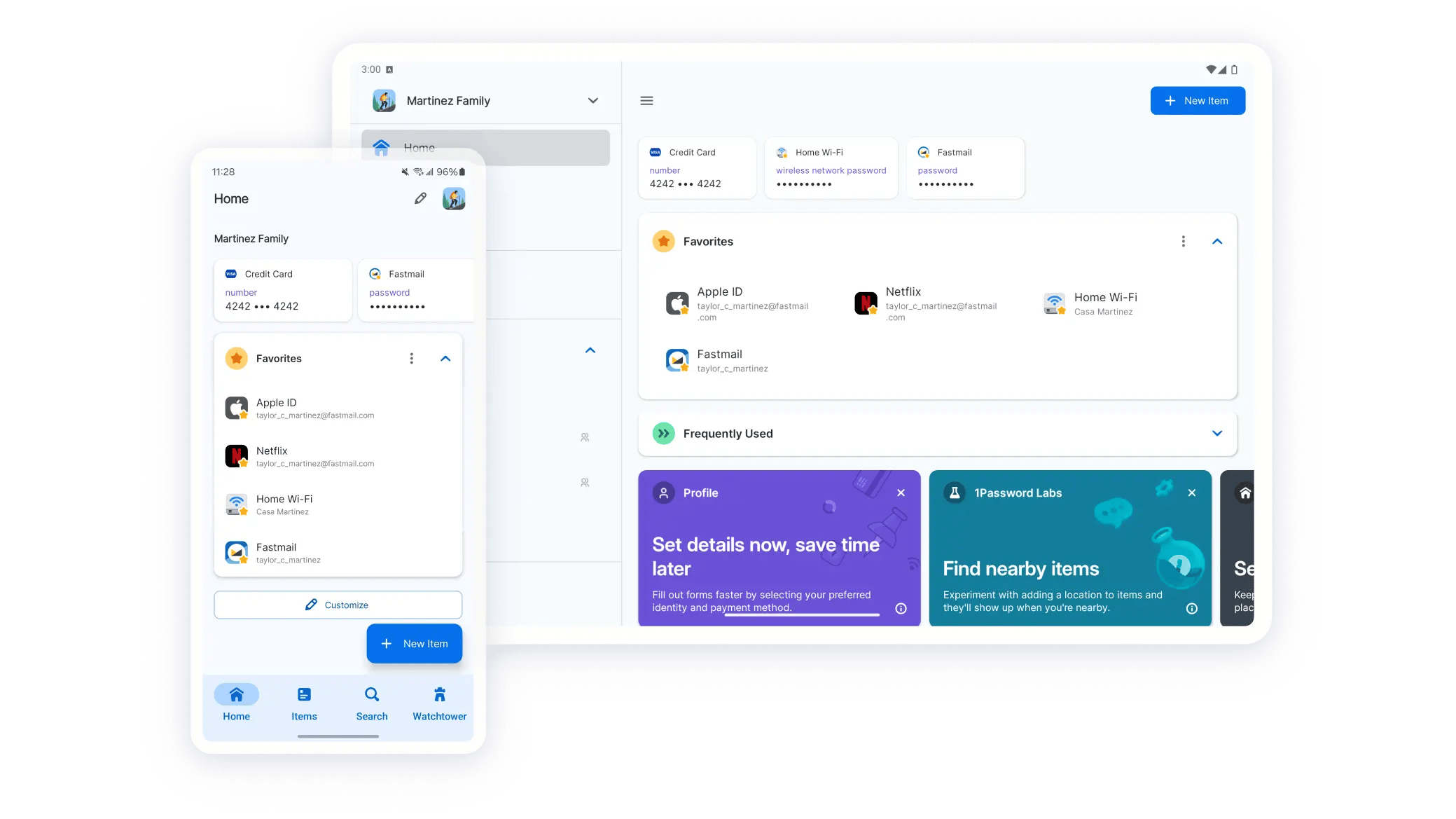
Yes — but indirectly. 1Password doesn't run its own standalone student program. Instead, it's bundled into the GitHub Student Developer Pack, a collection of free developer tools and services GitHub offers to verified students worldwide. Once you're approved for the Pack, 1Password Individual is one of dozens of perks you can activate. The plan you get is the full Individual experience: unlimited passwords, passkeys, Watchtower, Travel Mode, all browser extensions, all native apps, and 1 GB of document storage. The only "limit" is that you must remain Student Pack-eligible for it to continue.
How to Qualify for the Free Student Plan
GitHub's eligibility requirements for the Student Developer Pack:
- You must be at least 13 years old
- You must be currently enrolled in a degree-granting program (high school, undergraduate, graduate)
- You need proof of academic enrollment — options include:
- A verified .edu (or country-equivalent academic) email address on your GitHub account, OR
- A photo or scan of your school ID showing the current academic year, OR
- A transcript, enrollment confirmation letter, or acceptance letter dated within the current term
- A valid GitHub account (free to create)
Online and part-time students qualify if they meet the enrollment criteria. Bootcamps generally don't qualify unless they're degree-granting. GitHub re-verifies your eligibility periodically — usually annually or per academic term.
Step-by-Step: Apply via the GitHub Student Developer Pack
- Create or sign in to your GitHub account at
github.com. If you're creating a new account, use your .edu email if you have one — it speeds up verification dramatically. - Navigate to the Student Developer Pack at
education.github.com/packand click "Get the Pack." - Submit your verification. You'll be asked to confirm your school name, your expected graduation date, and to upload proof of enrollment if you don't have a verified .edu email. Approvals with a .edu email are often instant; document-based reviews take 1-7 days.
- Wait for approval. You'll receive a confirmation email from GitHub Education when your Student Pack is active. The full list of dozens of perks is now available.
- Activate 1Password. Inside your Student Pack dashboard, find the 1Password offer card and click "Get access." You'll be redirected to 1Password to create your account (or link an existing one). Follow the standard 1Password signup flow — create a master password, save your Secret Key and Emergency Kit PDF somewhere safe, and you're done.
- Install the apps. Download 1Password for your laptop and phone, install the browser extension, and start importing your existing passwords (if any). The full feature set is now yours, free, for the life of your Student Pack.
What Happens When You Graduate?
When your Student Pack eligibility ends — typically because GitHub's annual re-verification finds you've graduated — your free 1Password Individual plan converts to standard pricing at the next renewal. You won't be cut off mid-cycle; you'll get notification ahead of time and the opportunity to either pay for a regular Individual plan ($3.99/mo, or $2.40/mo with our 40% new-customer coupon if you qualify), switch to a Bitwarden Free tier, or export your data.
The transition is graceful: your vault, your saved passwords, your passkeys, your secure notes — none of it is deleted. You simply move from the free Student Pack tier to a paid subscription. Our recommendation: while you're still a student, use the years of free access to build the password hygiene habits (strong unique passwords everywhere, breach monitoring via Watchtower, passkeys where supported). When graduation comes, $2.40-$3.99/month for the tool you already know feels like a no-brainer.
Other Student-Friendly Password Manager Options
If GitHub Student Pack approval doesn't work out (or you don't want to create a GitHub account), here are the strongest alternative paths for students:
- Bitwarden Free — no student verification needed, free forever, unlimited passwords and devices. The most popular free password manager and a perfectly capable daily driver.
- Proton Pass Free — also free without enrollment requirements, from the Proton (Mail/VPN) team, includes email aliases. Solid choice if you're privacy-conscious.
- 1Password Families on a parent's plan — if a parent or family member has 1Password Families with open seats, they can add you as a member at no additional cost (until you hit member #6). Per-person cost on a maxed Families plan with our coupon is just $0.72/mo.
- 1Password Individual with our 40% coupon — if the GitHub route isn't available, $2.40/mo is the lowest standard price you'll find, and the 14-day no-card trial lets you confirm fit before paying.
Not a Student? Get the Next-Best Deal
Our verified 40% new-customer coupon drops 1Password Individual to $2.40/mo — the lowest standard price available outside the Student Pack.
Claim 40% Off NowStudent Discount FAQs
A .edu (or country-equivalent) email speeds up verification dramatically — often making it instant. But you can also qualify by uploading a school ID showing the current academic year, a transcript, or an enrollment confirmation letter. Most international students who don't have a .edu address use the document-upload path successfully.
As long as your GitHub Student Pack remains active. GitHub re-verifies eligibility periodically (usually annually). When you graduate or stop being enrolled, eligibility ends at the next re-verification cycle and 1Password offers a graceful transition to a paid plan.
Your vault and data persist — nothing is deleted. The free billing tier ends when your Student Pack eligibility ends, and you'll be offered the option to subscribe to standard 1Password Individual (with our 40% new-customer coupon if you qualify) or export your data and move elsewhere.
No. You get the full 1Password Individual experience — unlimited passwords, all browser extensions, all native apps, Watchtower, Travel Mode, passkey support, secure sharing, 1 GB document storage. Identical to what paying Individual customers get.
Yes, provided you're at least 13 years old and currently enrolled. GitHub's Student Pack explicitly supports high school students who meet the age and enrollment requirements.